For independent auto repair shops
The operating layer for your auto repair shop
Ascension works alongside your shop-management software — bringing your live work board, inspections, and team chat into one place.
Currently supports MaxxTraxx through the Ascension connector. We’ll check your version and installation during setup. Using another point of sale? Ask about fit before booking; other integrations are not currently supported.
The integration story
Reads your repair orders. Pushes your quote back.
Bring repair orders into Today's Work, prepare recommendations from the inspection, and push selected labor to the point of sale.
- 01
Inspect
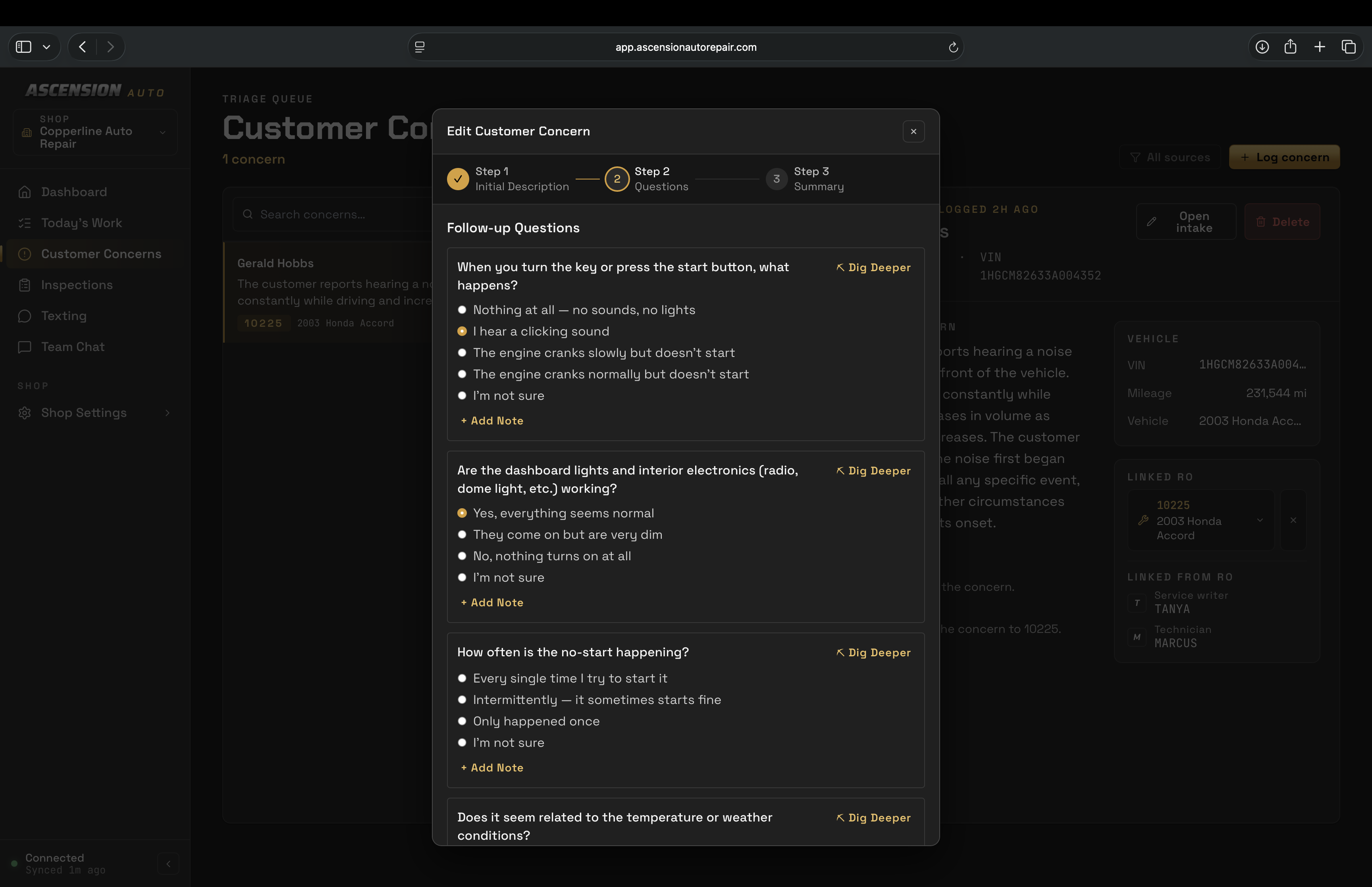
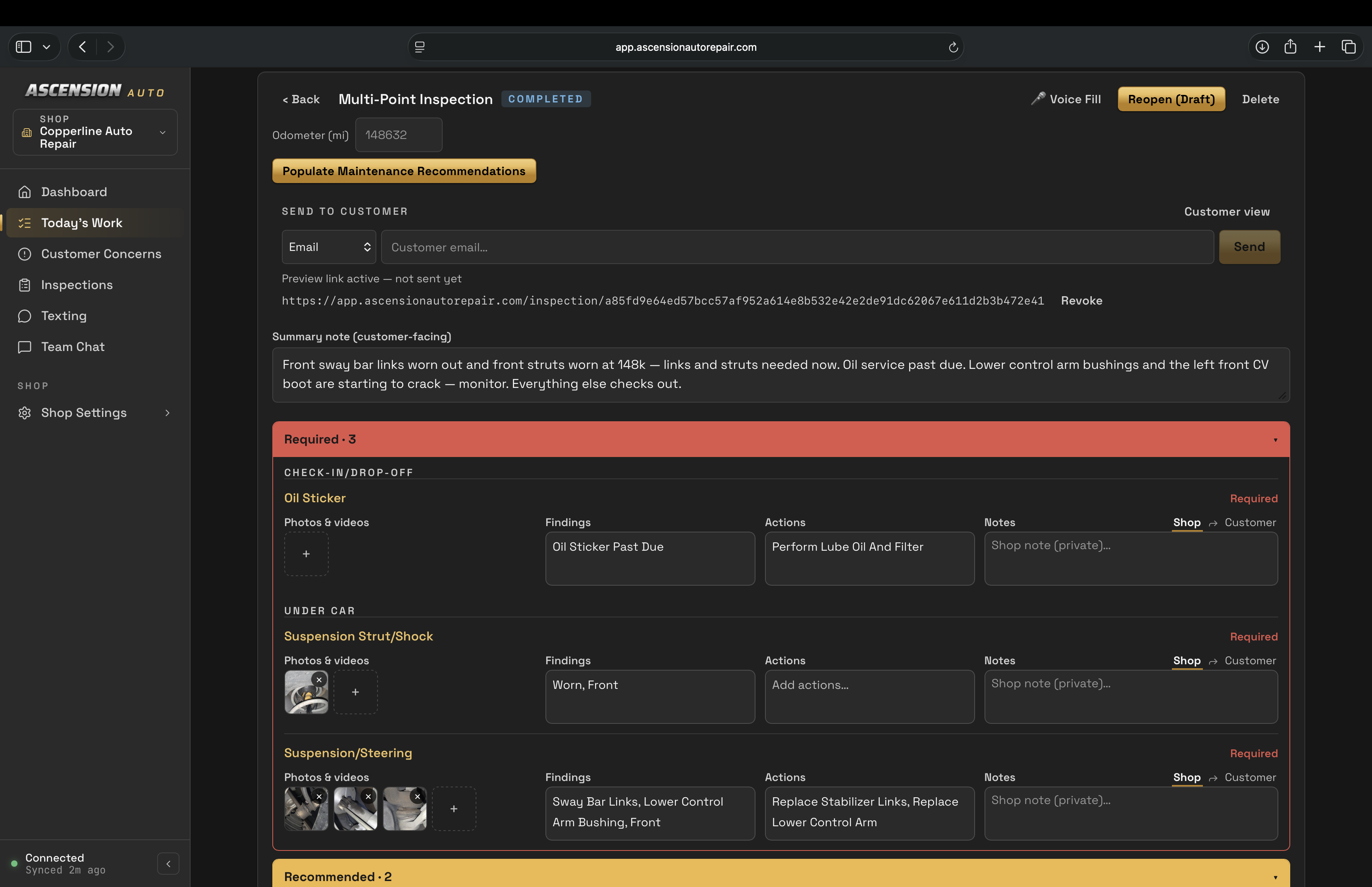
Record conditions, findings, photos and recommended actions. Voice-assisted entry helps the technician fill the inspection.
- 02
Advisor review
Review the inspection and recommendations before preparing the quote.
- 03
Select labor and recommendations
Look up labor times, review matches and select the lines and hours to send.
- 04
Push the point-of-sale quote
Send the selected recommendations and labor to the repair order in your point of sale. A queued push is still waiting to be written.
- 05
Check the confirmed write
Confirmed means the written line was read back from the point of sale. Creating a quote does not record customer approval; obtain approval separately.
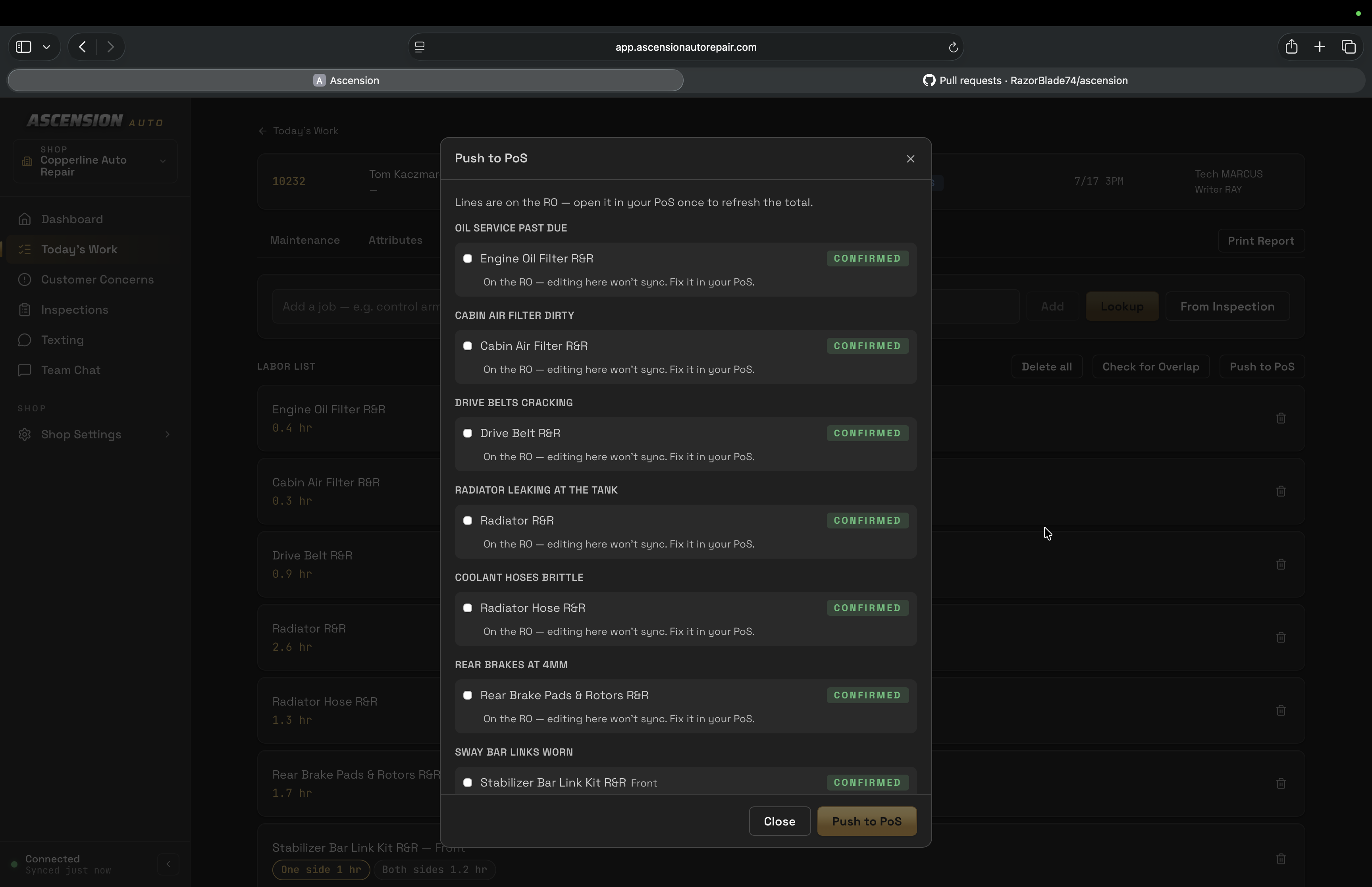
Staged example with invented shop data. Queued and confirmed are separate states.
Currently supports MaxxTraxx through the Ascension connector. We’ll check your version and installation during setup. Using another point of sale? Ask about fit before booking; other integrations are not currently supported.
One system, every job
Your whole day, on one board
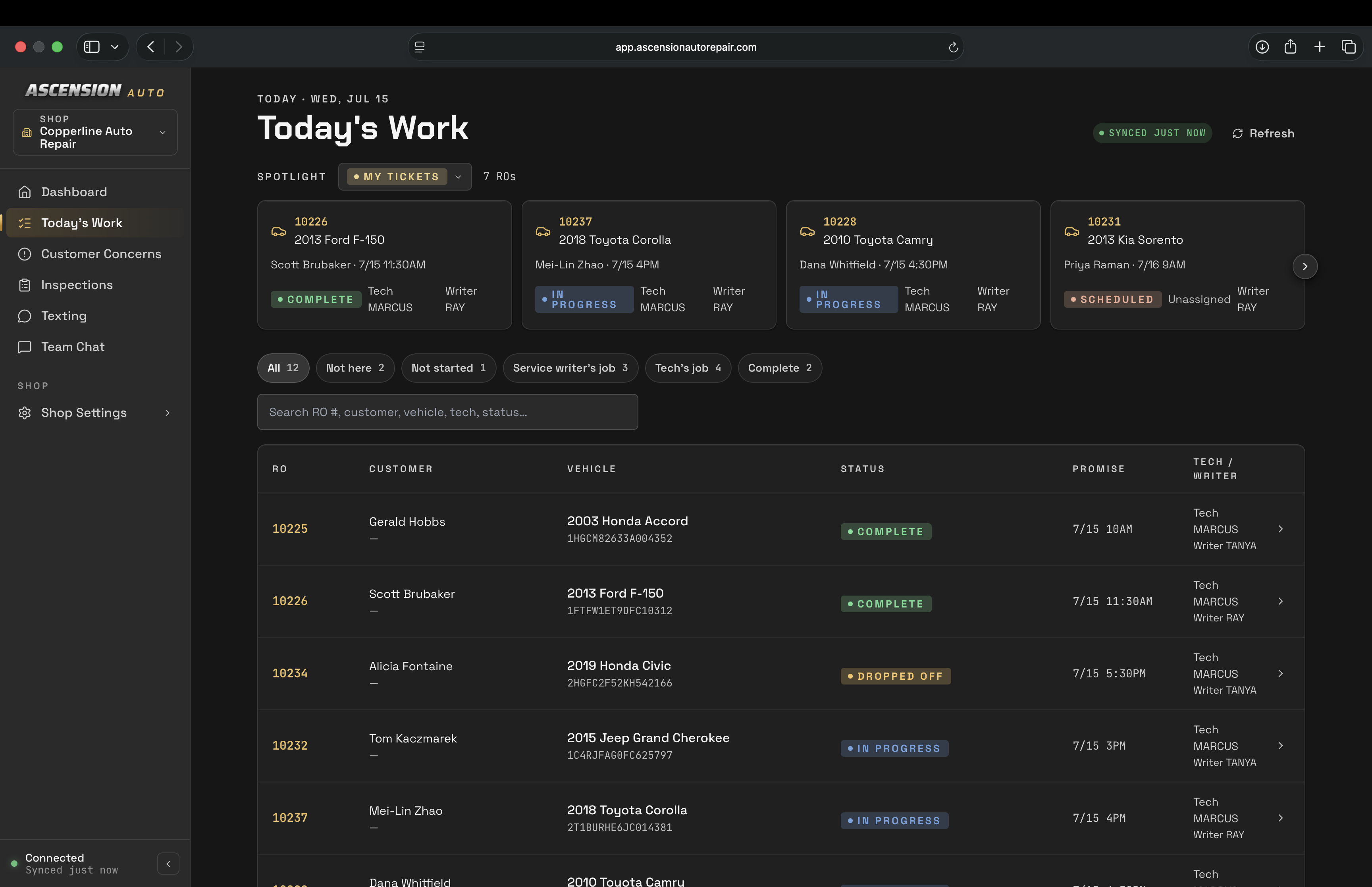
The day's repair orders
Job details alongside the inspection
See repair orders from your connected point of sale, open job details, and keep inspections close to the day's work.
Learn more →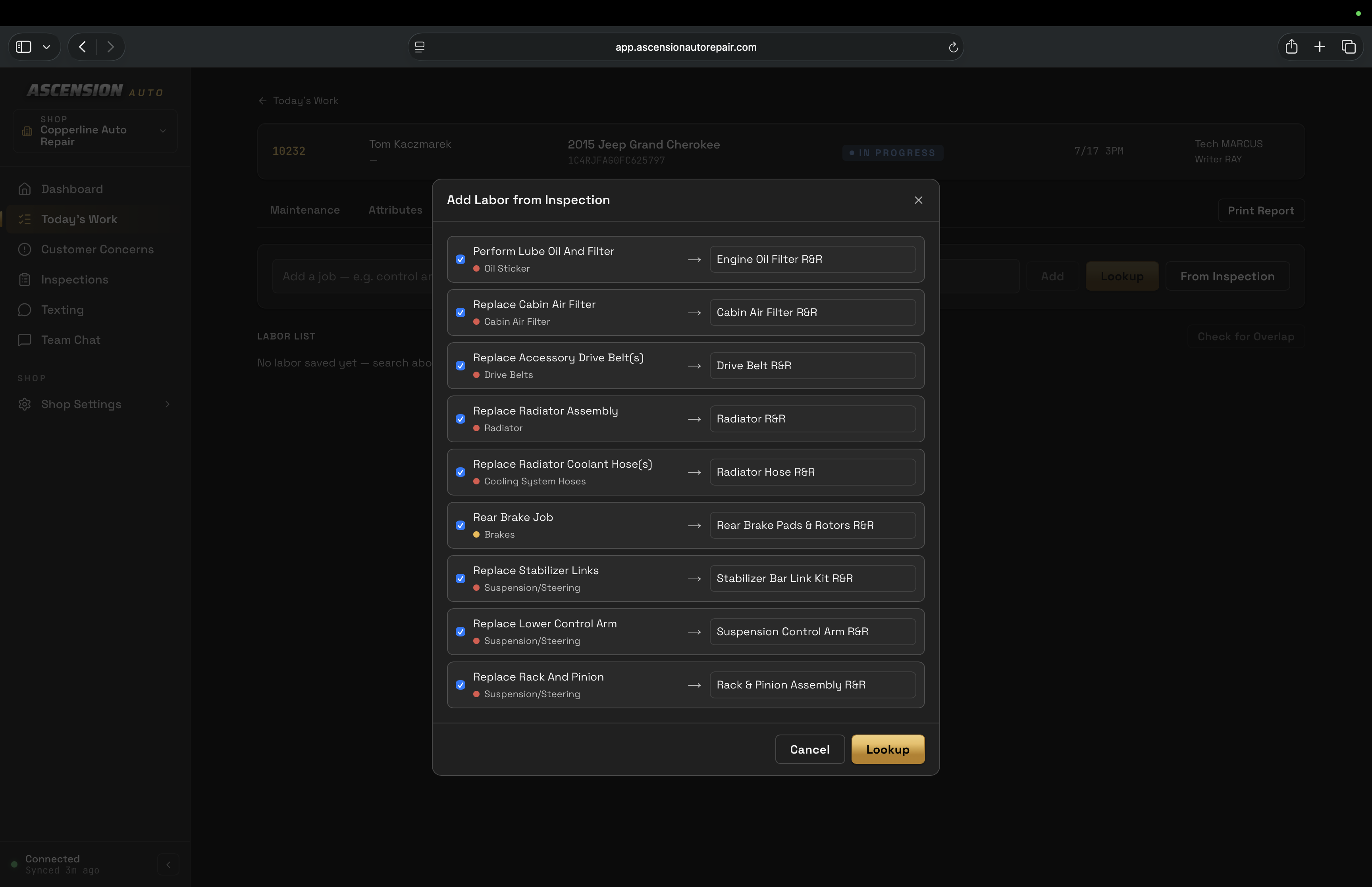
iOS + Android
Your shop floor, in your pocket
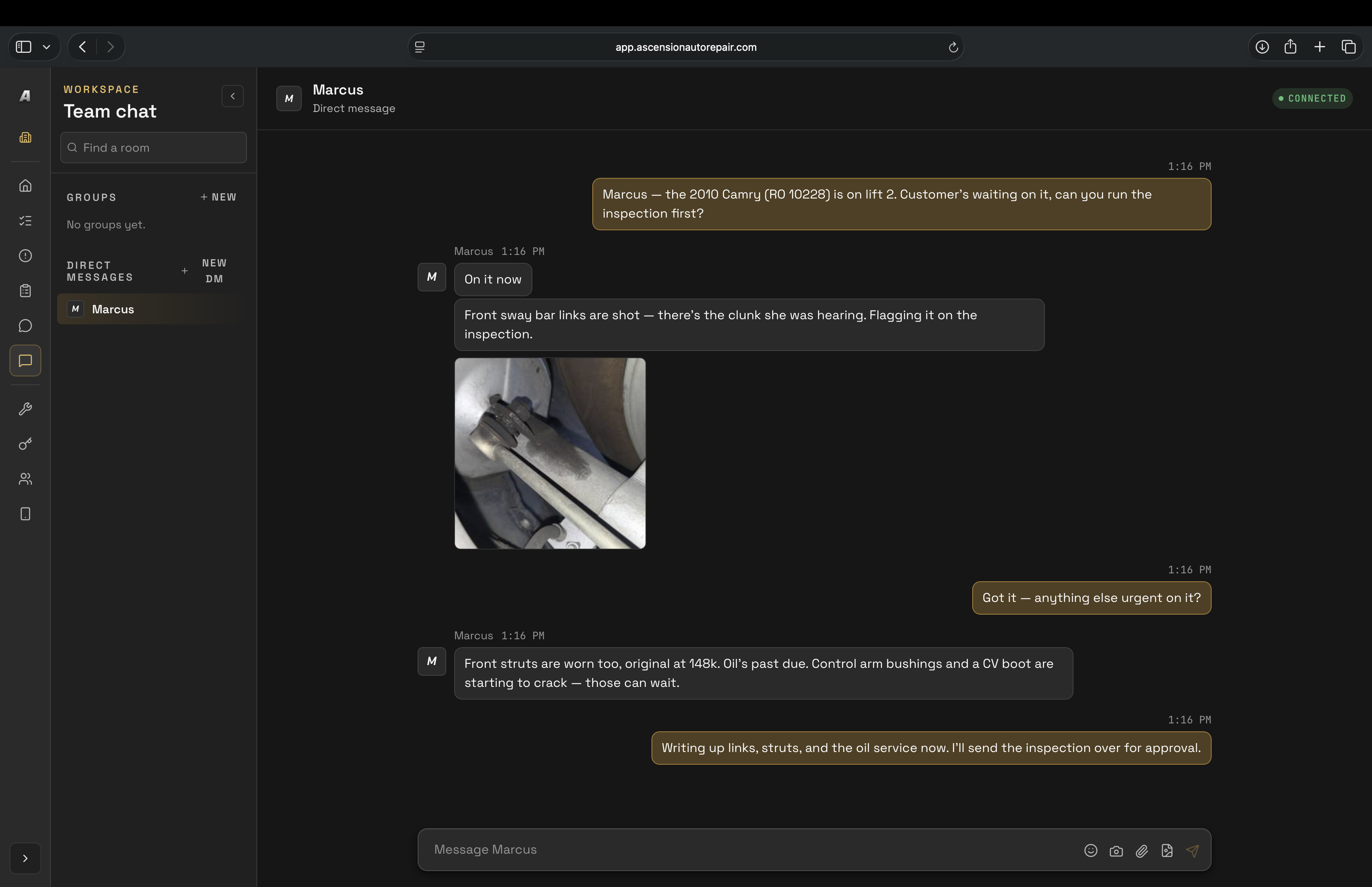
Techs work from the bay, not a back-office PC. Inspections, team chat, and the repair-order hub — the same shop, on the phone already in their pocket.
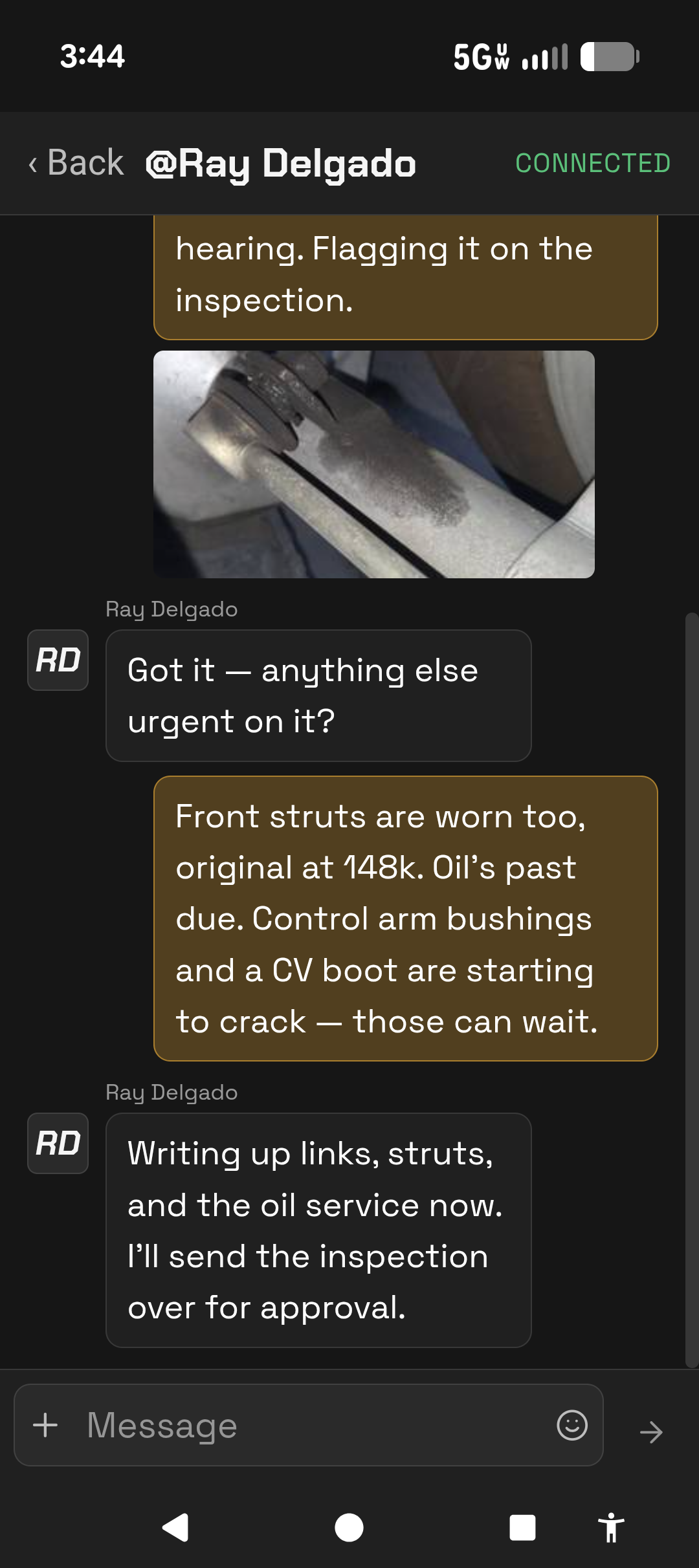
Team chat that travels with the tech, not the front desk.
Already an Ascension shop? Download the app from the App Store or Google Play and sign in with your shop account.
The company
Built at the service desk of my dad’s shop.
Ascension comes from years of writing service at Harvey’s Autotech — built by a service writer who liked his shop management system and wanted the rest to keep up. Run from Lake Elsinore, California.
Pricing
One plan, priced per shop
Your shop’s everyday workflows, together in Standard. Start with a live demo to review your setup.
Standard
$249USD /mo per shop
Inspections, team communication, and labor quote preparation alongside your point of sale.
- Digital inspections with templates, conditions, findings, and recommended actions
- Voice-assisted inspection entry
- Inspection photos and video, photo markup, and customer inspection reports
- Labor lookup and times, with your shop’s configured labor bump
- Prepare recommended work and add selected labor to a quote in your point of sale
- Today’s Work, repair orders, and job details
- Staff direct and group chat with replies, reactions, and read indicators
- Supported mobile workflows and the shop connector
Currently connects with MaxxTraxx. We’ll confirm connector requirements and supported mobile workflows for your shop during the demo.
Book a demoPricing questions
What does the Standard plan cost?
Standard is $249 USD per shop, per month. Book a demo to review the included workflows and your shop’s setup.
Does labor lookup include adding labor to a quote?
Yes. Standard includes labor lookup and times, quote preparation for recommended work, and adding selected labor to a quote in your point of sale. Your shop’s configured labor bump applies when preparing labor.
Will Ascension work with my point of sale?
The currently supported connection is MaxxTraxx. We’ll review your shop’s setup and connector requirements during the demo.
Are customer texting and automations ready immediately?
Customer texting requires registration and activation. Texting inclusion and usage pricing are not yet confirmed. Automations require setup and are limited to supported triggers; we’ll review those with you during the demo.
Does Standard include every feature shown in development?
Standard includes the features listed above. Repair procedures, maintenance schedules, fluid specifications, overlap scanning, Line Edit, Enhance, Dictate, and the 3D viewer are outside the current Standard offer.
Book a demo
See Ascension on your shop's work
Pick a time and we'll walk you through how Ascension runs alongside your shop-management software — the live Today's Work board, team chat, digital inspections, and preparing quotes for your point of sale.
Loading the booking calendar…